

RTO and RPO Explained in Simple Terms
Many Malaysian SMEs invest in backup solutions but rarely ask two important questions:
-
How quickly can we get our systems running again?
-
How much data can we afford to lose?
The answers are known as RTO (Recovery Time Objective) and RPO (Recovery Point Objective). Understanding these two concepts helps businesses choose the right backup and disaster recovery strategy.
What Is RTO?
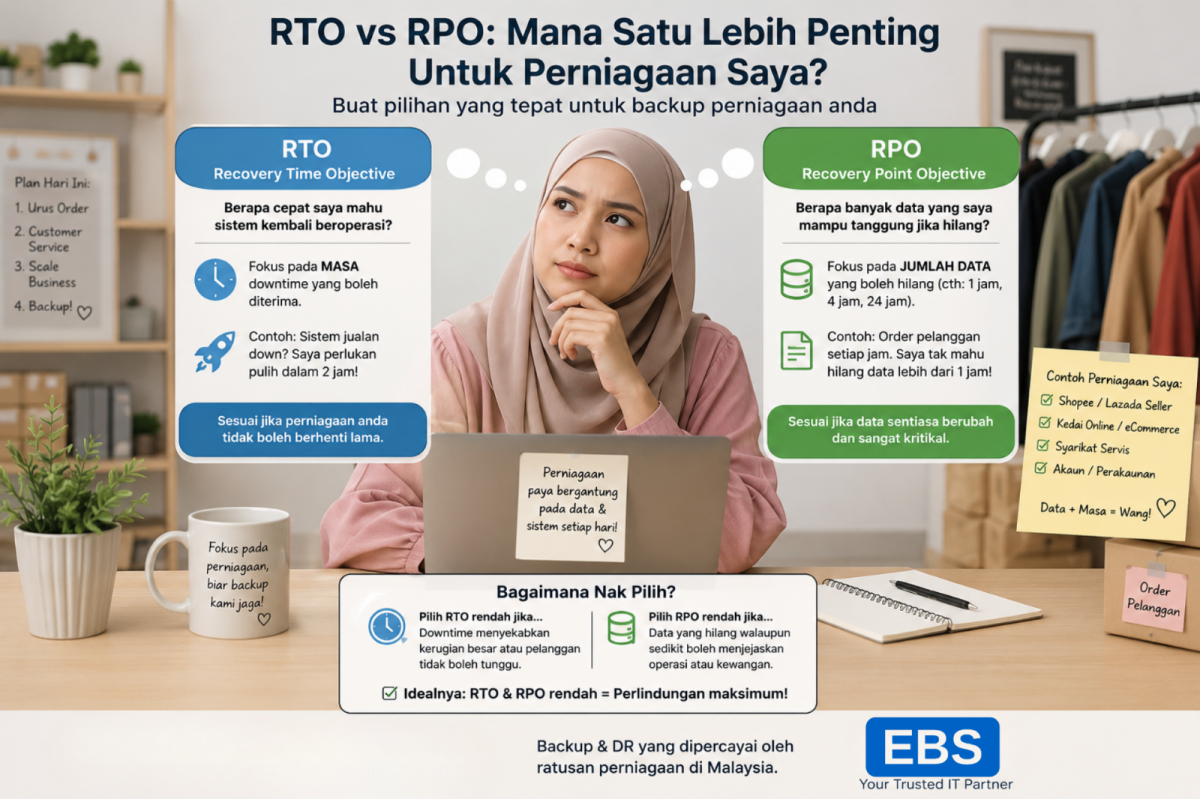
RTO stands for Recovery Time Objective.
Simply put, it means how long your business can tolerate downtime after an incident.
Example:
A retail company in Kuala Lumpur uses a cloud-based POS system. If the server crashes, management expects operations to resume within 2 hours.
Their RTO is 2 hours.
If recovery takes longer, sales, customer experience, and productivity will be affected.
What Is RPO?
RPO stands for Recovery Point Objective.
It refers to how much data your business can afford to lose during an unexpected event.
Example:
An accounting firm backs up its files every 4 hours. If a ransomware attack happens at 4 PM, the latest backup available is from 12 PM.
The company loses 4 hours of work.
Their RPO is 4 hours.
The shorter the RPO, the less data loss your business experiences.
RTO vs RPO: What's the Difference?
| RTO | RPO |
| Measures downtime | Measures data loss |
| Focuses on recovery speed | Focuses on backup frequency |
| Example: Restore within 2 hours. |
Example: Lose < 1 hour of data |
Both are equally important for business continuity planning.
Real Malaysian SME Examples
1. Professional Services Firm
A legal firm in Petaling Jaya stores client documents on employee laptops.
-
Target RTO: 4 hours
-
Target RPO: 1 day
Daily endpoint backups can help ensure documents are recoverable if devices fail or are stolen.
2. Manufacturing Company
A manufacturer runs critical ERP systems on local servers.
-
Target RTO: 2 hours
-
Target RPO: 30 minutes
Frequent server backups combined with disaster recovery planning help minimise operational disruption.
3. Growing E-Commerce Business
An online retailer receives orders throughout the day.
-
Target RTO: 1 hour
-
Target RPO: 15 minutes
Any extended downtime or significant data loss directly impacts revenue and customer trust.
How Different Solutions Support Your RTO and RPO Goals
Different business systems require different protection strategies.
EBS NodeSafe: Protect Employee PCs and Laptops
Businesses that rely heavily on employee devices can use EBS NodeSafe to automate PC backups, reducing the risk of losing important documents, proposals, or customer information.
This helps improve RPO by ensuring data is backed up regularly.
EBS SiteSafe: Secure Business Servers
For companies running file servers, databases, or ERP applications, EBS SiteSafe provides server backup capabilities that support faster recovery and reduced downtime.
This directly supports better RTO performance.
EBS MailSafe: Protect Critical Business Emails
Email contains contracts, approvals, quotations, and customer communications.
EBS MailSafe helps businesses preserve important email records and minimise data loss during accidental deletion, cyberattacks, or system failures.
EBS DRSafe: Minimise Business Downtime
When businesses require rapid recovery during major disruptions, EBS DRSafe offers disaster recovery capabilities that help organisations restore operations quickly and maintain business continuity.
This is particularly important for companies with strict RTO requirements.
Why Malaysian SMEs Should Care About RTO and RPO
Many SMEs only think about backup after an incident occurs.
However, good business continuity planning means deciding in advance:
-
How long can we afford to stop operating?
-
How much data can we afford to lose?
-
Which systems are most critical to our business?
The answers determine the right backup frequency, recovery processes, and disaster recovery solutions.
Final Thoughts
RTO and RPO are not complicated technical terms—they are business decisions.
A small accounting firm, manufacturing company, or online retailer will all have different recovery requirements.
By understanding your acceptable downtime and data loss limits, you can build a backup strategy that protects your business, customers, and reputation.
The right combination of endpoint backup, server protection, email archiving, and disaster recovery services ensures your business stays resilient, even when unexpected events occur.



