Keeping your handheld inkjet printer in top shape is essential for clear, professional-looking prints. If you’ve noticed blank lines, white streaks, or blurred text, it’s likely time to clean your ink cartridge nozzle.
In this quick tutorial, we’ll walk you through the cleaning process to ensure your printer continues to perform at its best.
Watch the Tutorial
For a visual demonstration, check out the video below: Ink Nozzle Printhead Cleaning Instruction
When Should You Clean the Nozzle?
You should clean the nozzle of your 12.7mm ink cartridge if your printouts are:
-
Showing blank or white lines
-
Severely blurred or incomplete [00:02]
Step-by-Step Cleaning Instructions
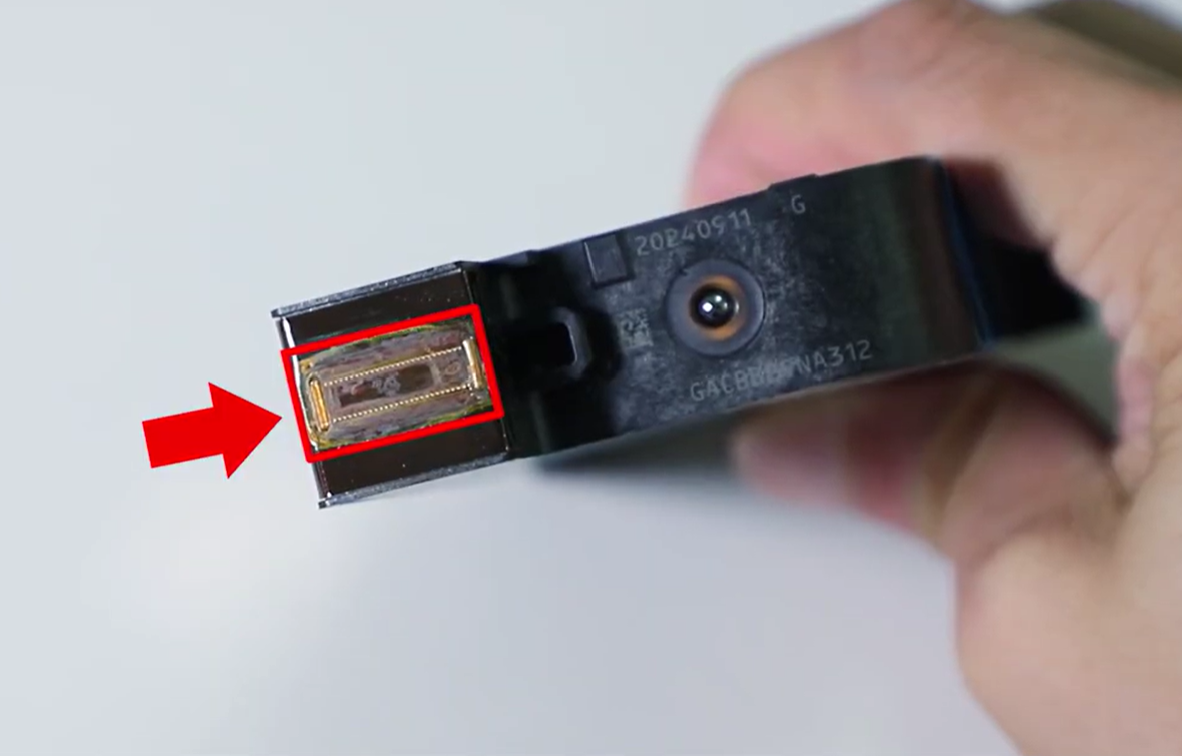
1. Prepare Your Cleaning Materials Start by wetting a facial tissue and the cartridge nozzle with a small amount of alcohol [00:06].
2. Wipe Away Dirt and Residue Gently but repeatedly wipe the nozzle with the wet tissue. This will help remove any built-up dirt or residual ink that may be clogging the printhead [00:09].
3. Shake the Cartridge Place a dry tissue against the ink nozzle and shake the cartridge approximately 10 times to ensure the ink is flowing correctly [00:14].
4. Test the Nozzle Press the nozzle against the dry tissue. If you see two clear lines on the tissue, your nozzle cleaning is complete [00:17].
5. Check the Chip Contacts While you have the cartridge out, check the chip contacts for any dirt. If they appear dirty, clean them gently with alcohol as well [00:21].
6. Reinstall and Print a Demo Page Finally, reinstall the ink cartridge into your printer and run a demo page. Your printout should now be complete and clear [00:25].
Conclusion
Regular maintenance of your handheld inkjet printer ensures a longer life for your cartridges and high-quality results every time. If you’re still experiencing issues after cleaning, feel free to reach out for more troubleshooting tips!