How
to Create Business Manager & Assign
NEWPAGES as Partner.
|
||
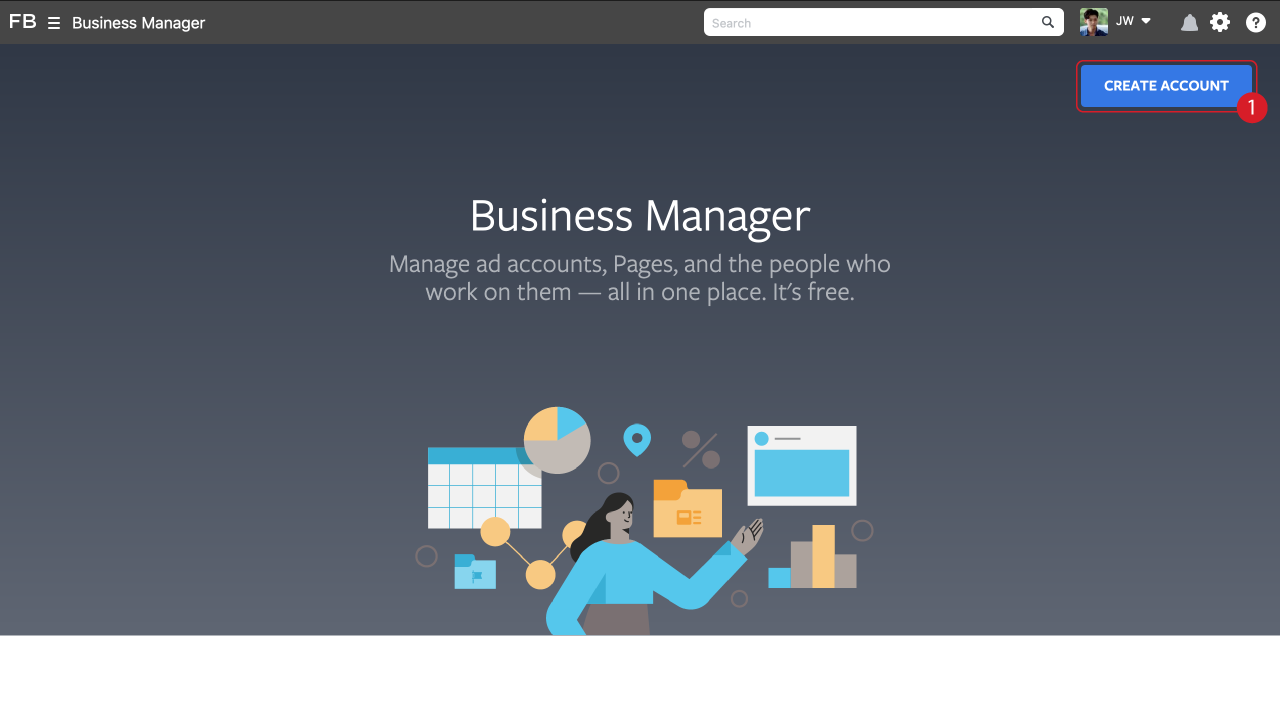
| 1. Access to
https://business.facebook.com/overview by using
the Facebook Account with your page admin. |
||
 |
||
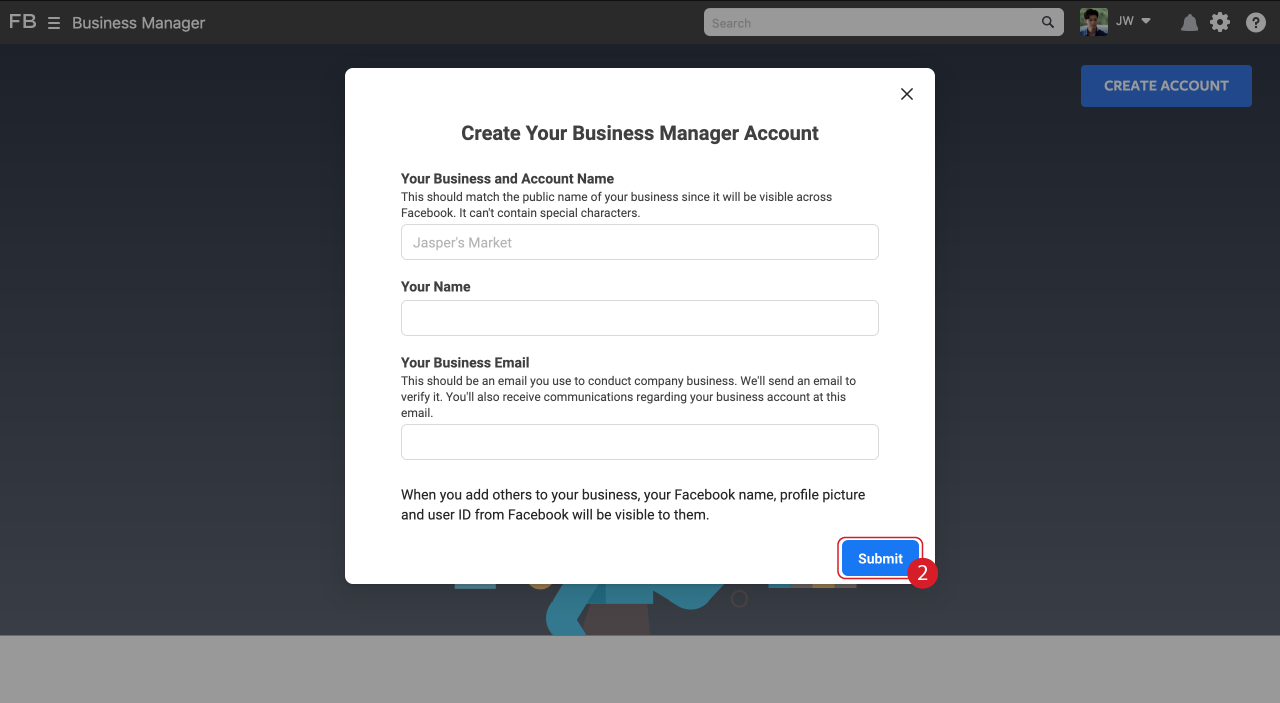
| 2. Fill in your Business Informations
& Submit. |
||
 |
||
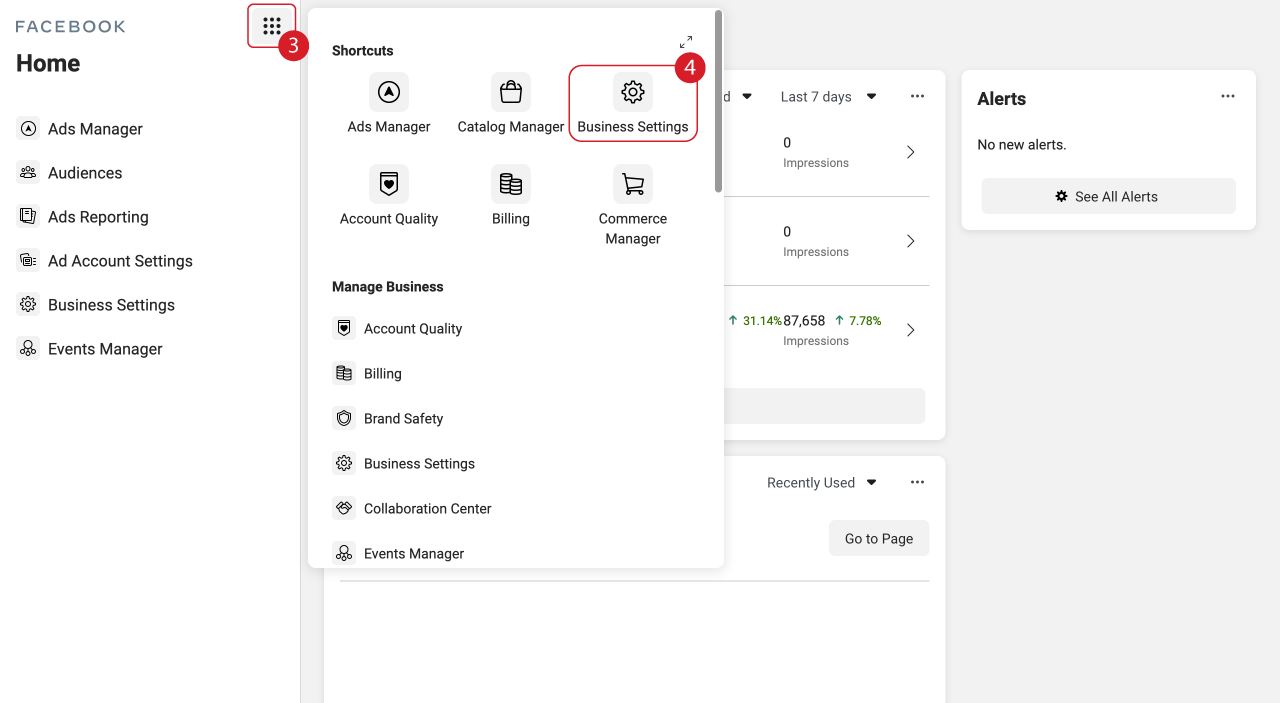
| 3. Click the Menu Button. 4. Click Business Settings. |
||
 |
||
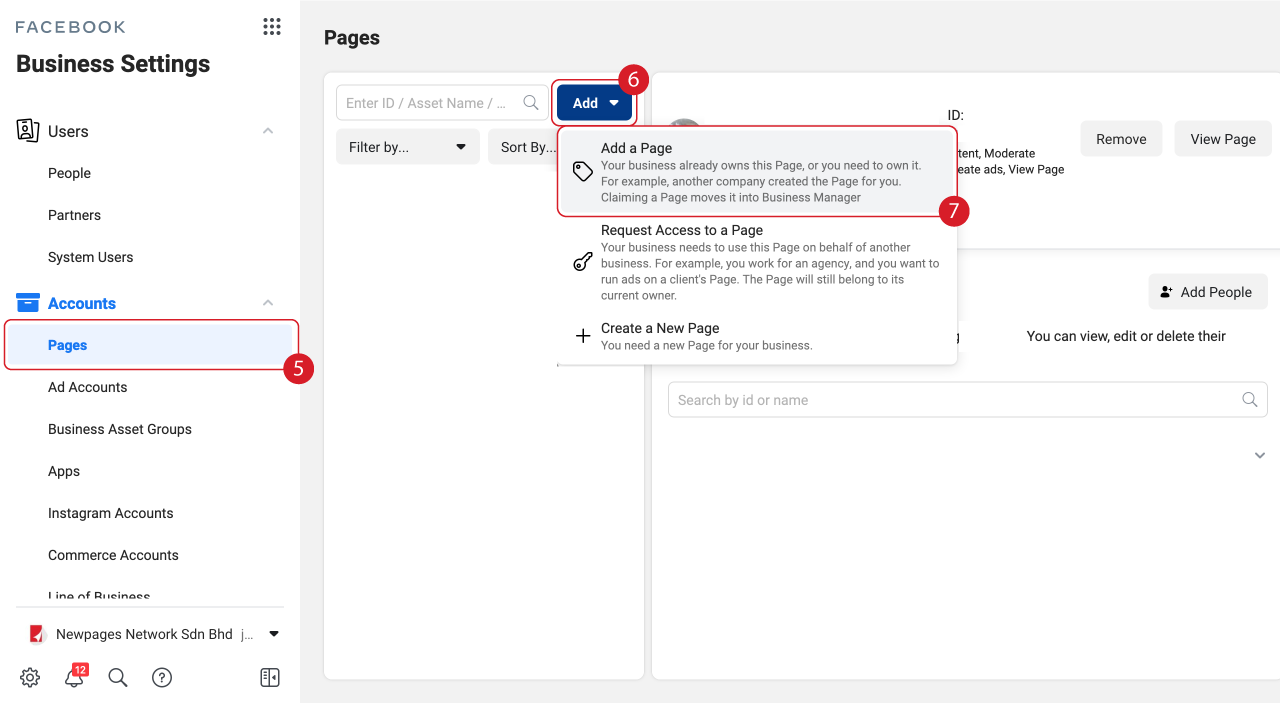
| 5.Click Pages. 6.Click Add. 7. Click Add a Page. |
||
 |
||
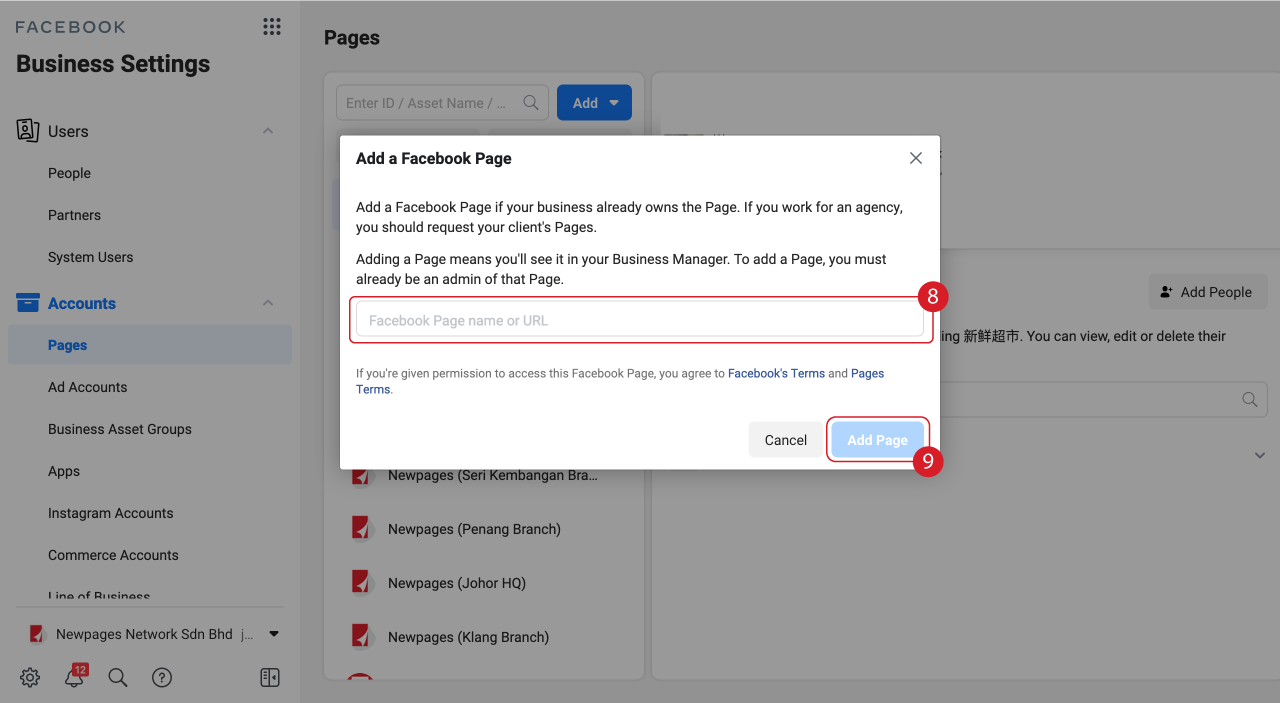
| 8. Key in your Facebook Page name or
URL. 9. Click Add Page. |
||
 |
||
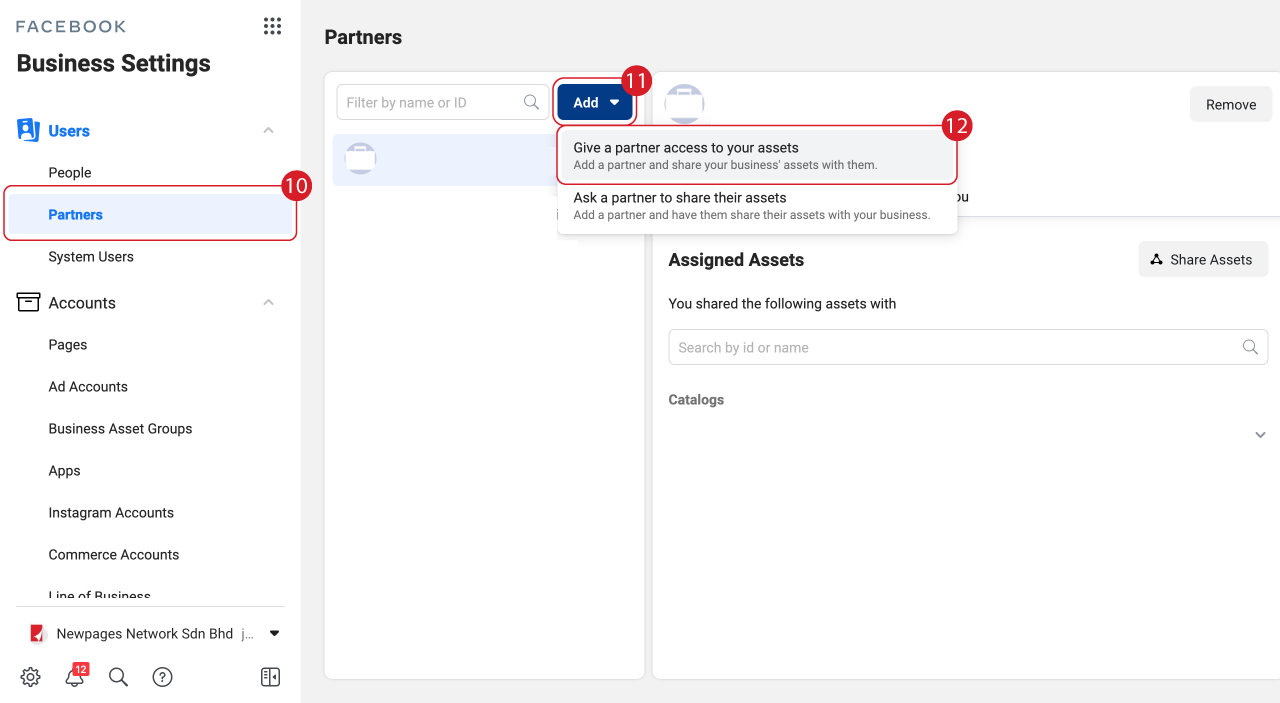
| 10. Click Partners. 11. Click Add. 12. Click Give a partner access to your assets. |
||
 |
||
| 13. Key in NEWPAGES Partner Business
ID ‘1756487111042694' 14. Click Next & Assign Page Admin. |
||
 |
||
| 15. We will connect your Facebook to
Backend in 1 Working Day. |